


Adjusting the Size
From the strobe editor, use the RGB Light Size control.
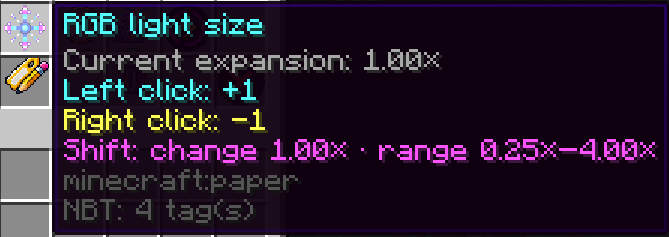
Left Click
Increases the size by one step.
Right Click
Decreases the size by one step.
The normal step size is:
0.25xUsing Shift + Click changes the value by:
1.00xThe GUI always displays the currently selected expansion value.
For example:
Current expansion: 1.00xThe full configurable range is 0.25x–4.00x.