


Flash Power
Flash Power controls the strength of the player’s screen/camera flash effect.
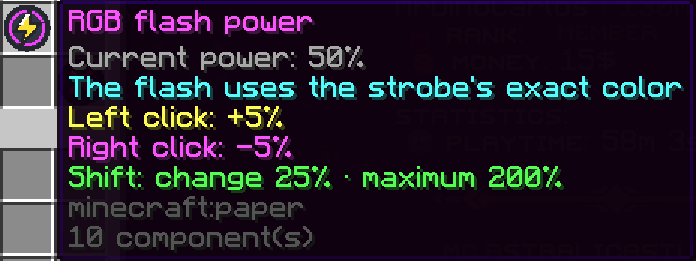
It is separate from RGB Intensity and does not determine the brightness of the environmental 3D RGB light.
The available range is:
0% → 200%The default value for newly created strobes is:
50%This means you can create very different combinations.
For example, you could use:
High RGB Intensity
+
Low Flash Power
for a strong environmental light that does not heavily affect the player’s screen.
Or:
Low RGB Intensity
+
High Flash Power
for a much more camera-focused effect.
This also allows very dark or even black colors to be used creatively. A black RGB light will not visibly illuminate the environment, but combining it with appropriate Screen Flash and Flash Power values can still produce interesting visual effects.