


MC Status by MrDino

Display your Minecraft server status on your WordPress site. Basic mode works without any Minecraft plugin.
Server Status for MC by MrDino lets you show a clean, modern status card for your Minecraft server.
Future Versions will include a Minecraft Plugin to give more real-time updates and more data.
Index
1. Search and Install the Plugin
On the Add Plugins Menu, search for “Server Status for MC by MrDino” and the plugin will appear as in the image below.

Next click in “Install Now” and then “Activate”.
2. Set-Up
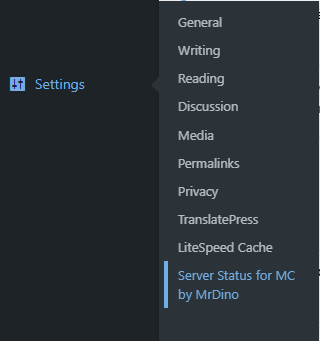
Now once Activated you can find it under
“Settings > Server Status for MC by MrDino”.
2.1. Server Settings
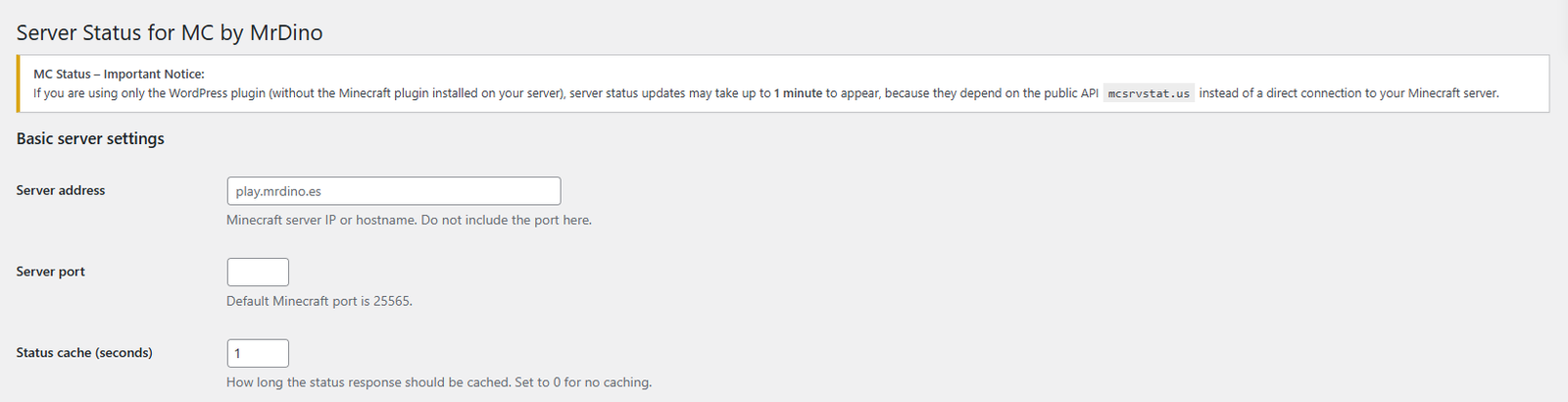
Here we can set-up our Server IP (Numeric or Domain), the Server Port and the Cache interval.
2.2. Display Options
Now we can set-up how it will be displayed on our site.
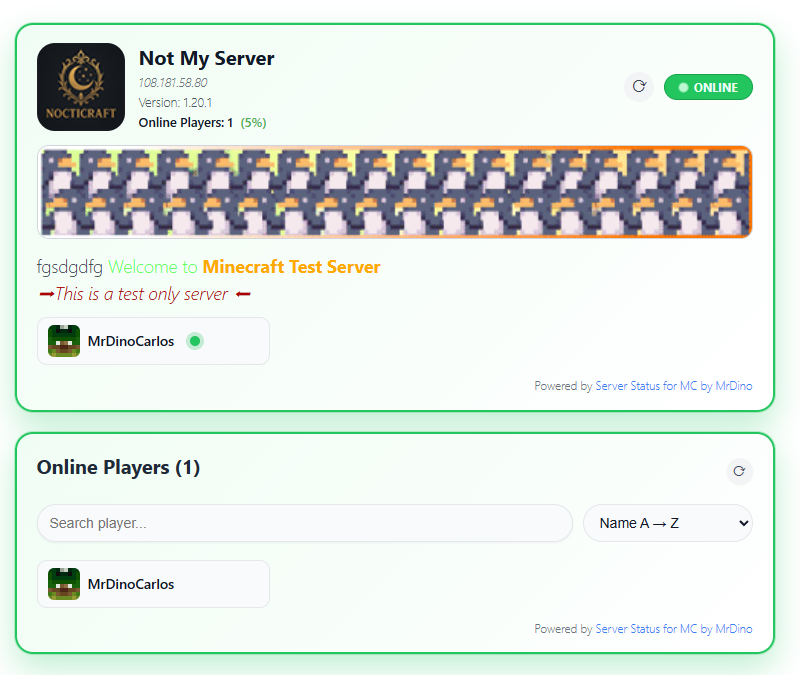
Show Credit Link: this will add a small credit under the widget to show your support.
Custom Server Name: You can set a custom title for your server (widget), if not, the server address will be displayed.
Show IP: This will display the actual IP or Domain of your sever.
Show Port in IP: If enabled this will add the Server Port you´ve set-up after your IP / Domain.
Show MOTD: This will also display the MOTD (Message Of The Day) of your server.
Show Server Banner: If enabled it will display the banner you will have to enter below.
Custom Banner URL: You can add your custom banner here, remember to set an image or gif URL only.
Show Player List: This will display the player list in the same widget as your server widget. If you want to have them separete please leave this unchecked.
Max Players to Show: This will show a maximum of players on the widget, the rest will be added under “+ X more”.
Player Count Display: Here you can set-up how your Online Players Box will show, you have different options to choose from.
Player Cards per Row: Here you can set-up how many rows of players you want on your widget.
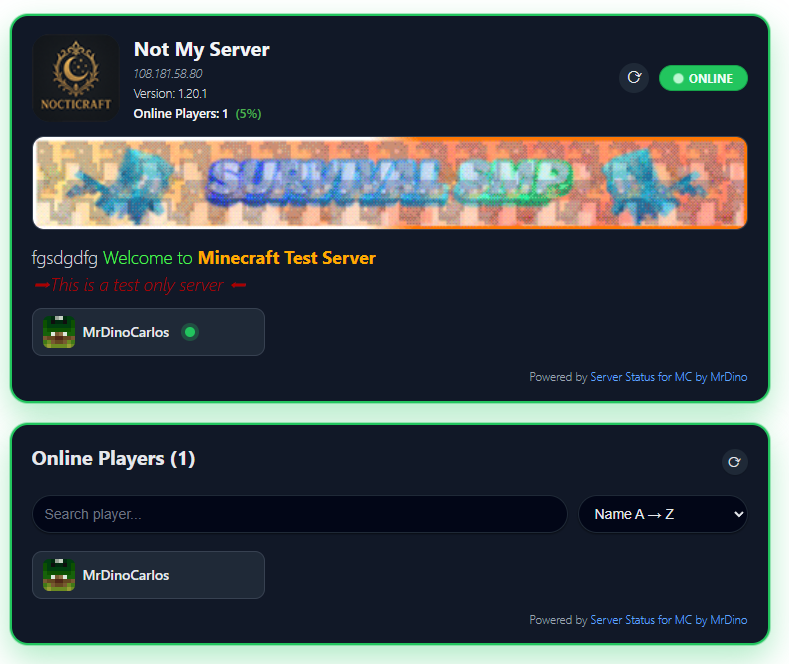
Enable Dark Mode (Global): This will make all widgets as “Dark Mode”. You can see how it looks with the image comparison.
2.3. ShortCodes
We have two shortcodes you can use:
[ mcsmd_status ]
This is the main ShortCode.
This displays the main server interface.
[ mcsmd_status ]
This is the Players ShortCode
This displays all the players on your server.
Just copy the ShortCode and add it to the page you want it to be displayed on.
Please Note the shortcodes displayed here have an extra space between [ shortcode ].
3. FAQ
Some frequently asked questions about this WordPress Plugin.
No, for the basic version you do not need anything extra.
There will be a future version that will add a Minecraft Plugin to connect with the WordPress Plugin to provide more data and more accurate.
Yes it is !!!
For everyone to enjoy !
The current version of the plugin only supports one server display.