Saltar al contenido principal
Table of Contents
Print

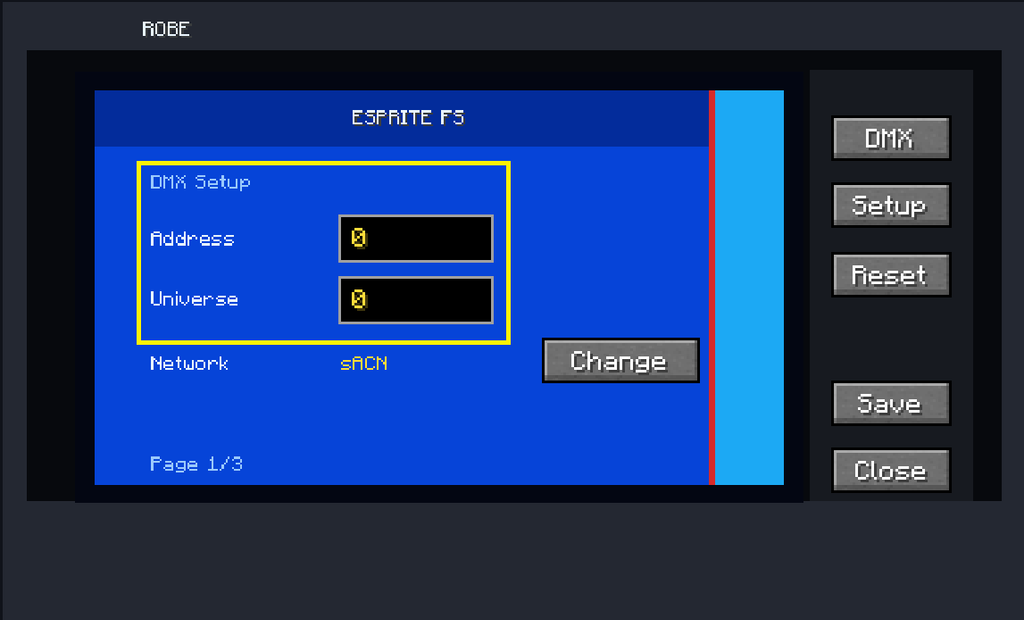
Set the DMX Address

Set the fixture’s starting DMX address.

For your first fixture, you can normally start at:

Address: 1

The selected fixture mode determines how many consecutive DMX channels the fixture uses.

For example, a mode using 39 channels and starting at Address 1 occupies:

1–39

The next fixture must therefore start after that footprint unless you intentionally want the channels to overlap.

Deja una respuesta

MrDino Dev Cave
Resumen de privacidad

Esta web utiliza cookies para que podamos ofrecerte la mejor experiencia de usuario posible. La información de las cookies se almacena en tu navegador y realiza funciones tales como reconocerte cuando vuelves a nuestra web o ayudar a nuestro equipo a comprender qué secciones de la web encuentras más interesantes y útiles.