


Discovery Mode
Discovery Mode is designed to help administrators locate, identify and manage existing StrobeLights sources inside the world.
When enabled, nearby strobes are temporarily revealed to the player using the mode, without changing their saved state or normal behavior.
Enabling Discovery Mode
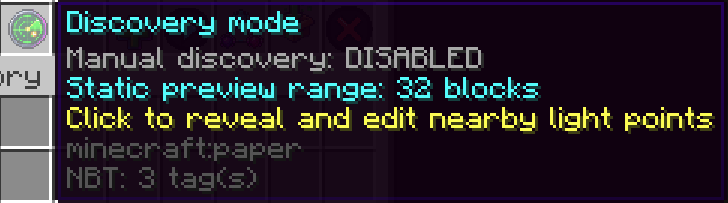
Discovery Mode can be enabled either from the StrobeLights GUI or with:
/strobe discoverYou can also explicitly control its state with:
/strobe discover on
/strobe discover off
/strobe discover toggle
Discovery is private to the player who enables it.
Other players will not see the discovery indicators unless they enable Discovery Mode themselves.
What Discovery Mode Shows
When Discovery Mode is active, StrobeLights reveals nearby configured light points inside the configured discovery radius.
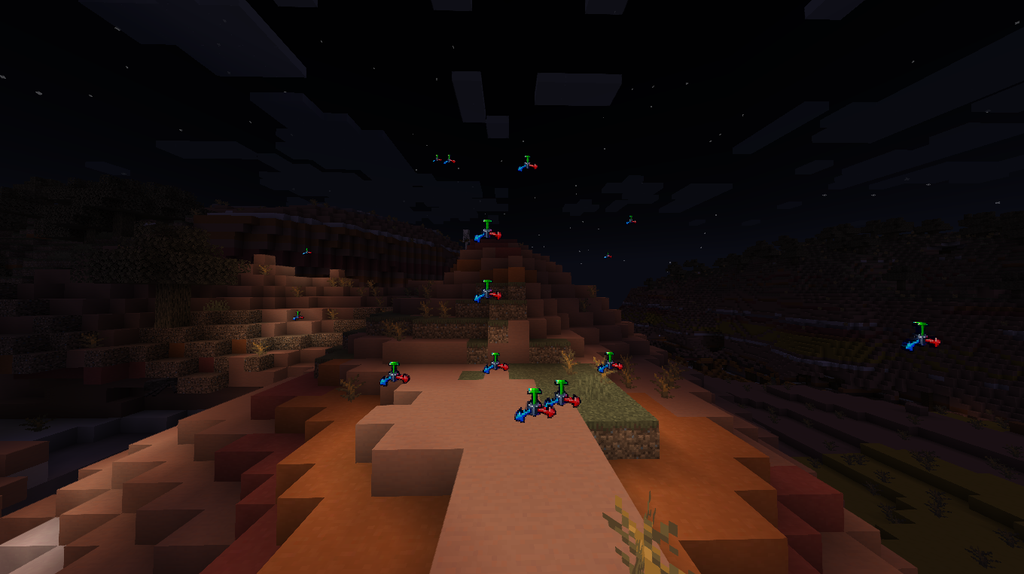
Each detected strobe is temporarily shown as a steady RGB light so it is easier to identify its exact location.
A temporary movement/editing icon is also displayed at the light point.
This makes Discovery Mode especially useful when:
- A strobe has been placed inside a complex build.
- The original light point is difficult to remember.
- Several invisible light sources exist in the same area.
- You need to identify the exact position of a light before moving or editing it.
The normal saved state of each strobe is not modified.
For example, a stopped strobe may appear illuminated while Discovery Mode is active, but it remains stopped internally and will return to its normal state when Discovery Mode is disabled.
Visibility and Line of Sight
The temporary editing handle is only shown when there is no solid block between the player and the strobe’s light point.
This prevents editing indicators from appearing through walls or other solid structures.
Nearby strobes themselves are revealed according to the configured Discovery Mode settings.