


General Settings
Theatrical: Realistic Pack (TRP) includes several configurable options that allow the mod to adapt to different gameplay styles, installations and production environments.
Most normal user-facing settings can be accessed directly from Minecraft through:
ESC → Mods → Theatrical: Realistic Pack → Config
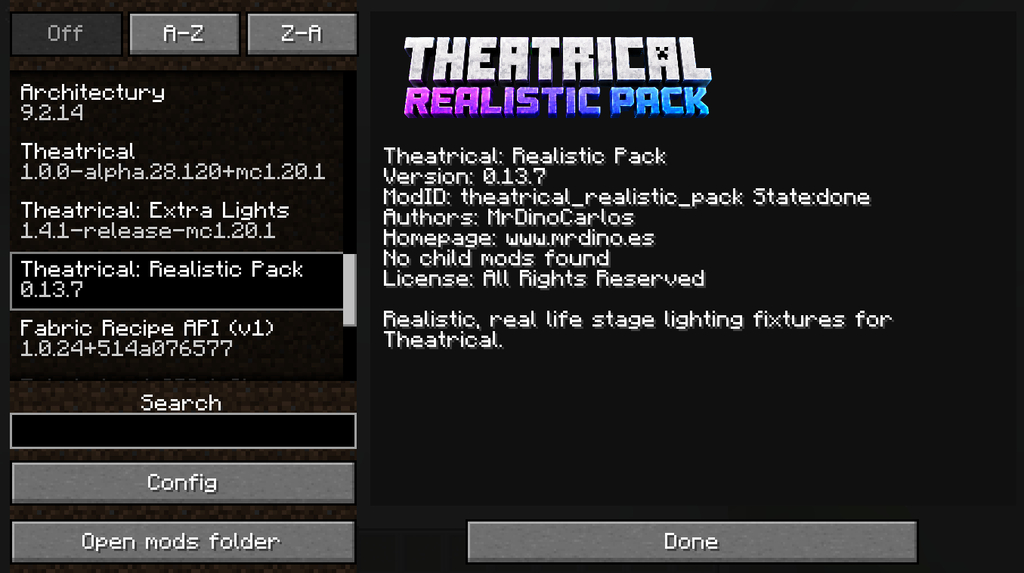
Some advanced diagnostic and troubleshooting options may only be available through the configuration files.
Accessing the Configuration
While inside Minecraft:
- Open the Pause Menu.
- Select Mods.
- Find Theatrical: Realistic Pack.
- Open Config.
From here, TRP exposes the main configuration options intended for normal users.
The available settings include options related to:
- Fixture models
- Mounting
- Beam rendering
- Projection quality
- Performance
- Gameplay
- Renderer stability
Advanced profiling and diagnostic options may be intended primarily for direct configuration-file use.