


PATT 2017
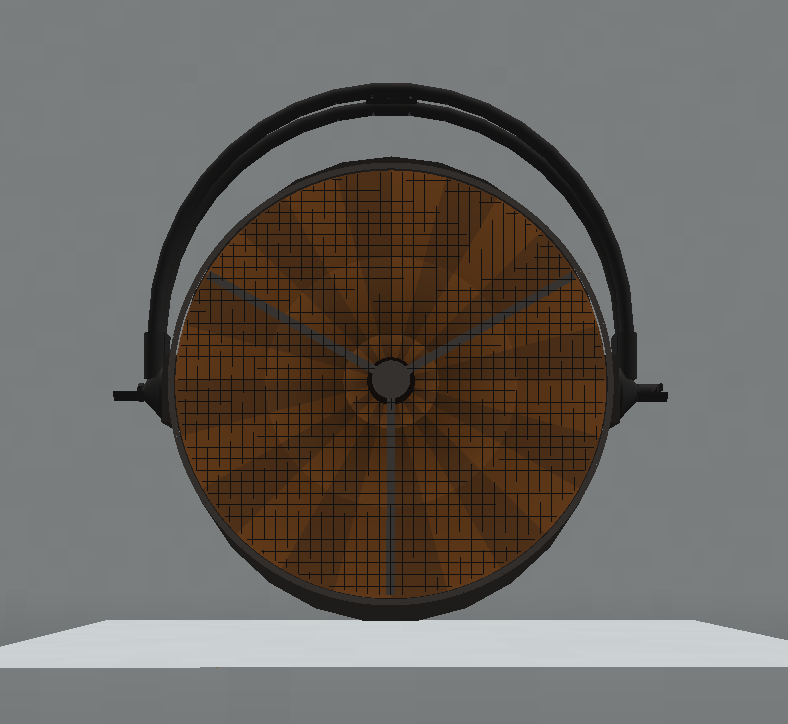

The PATT 2017 is a static RGBW PATT luminaire implemented in Theatrical: Realistic Pack (TRP).
Unlike a conventional independently patched TRP fixture, PATT 2017 operates as a passive output fixture. It must be linked to a PATT Driver, which receives the Theatrical network and DMX data and distributes the resulting output to the connected PATT luminaires.
The fixture contains seven individually represented RGBW lighting elements and can reproduce global colour, individual pixel control, patterns, intensity, shutter and other effects depending on the personality selected on its PATT Driver.
Official Resources
ROBE Product Page — PATT 2017™
ROBE PATT 2017™
The real PATT 2017 uses seven RGBW LED sources and a remote PATT Driver for power and data, which is also reflected in TRP’s Driver-based implementation.
Overview
| Manufacturer | ROBE |
| Fixture Type | Static RGBW PATT Luminaire |
| Light Source | RGBW |
| Lighting Elements / Pixels | 7 |
| Direct DMX Input | ❌ No — controlled through PATT Driver |
| PATT Driver Required | ✅ Yes |
| Maximum Driver Distance | 10 blocks |
| Maximum Fixtures per Driver | 16 |
| Manual Pan / Tilt | ✅ Yes |
| Free Placement | ✅ Yes |
| Truss Mounting | ✅ Yes |
| Truss Mount Tool | ✅ Yes |
| Focus Tool | ❌ No |
| Custom Gobos | ❌ No |
| RoboSpot | ❌ No |
| FollowMe | ❌ No |
| Dedicated Flight Case | ❌ No |
| Survival-Friendly Carrying | ❌ No |
DMX Modes
PATT 2017 does not decode its DMX signal independently.
Instead, its linked PATT Driver receives DMX and applies the selected PATT personality to all compatible PATT 2017 fixtures linked to that Driver.
When controlling PATT 2017, the Driver provides seven personalities:
| Mode | Personality | Channels |
|---|---|---|
| Mode 1 | Wash | 13 |
| Mode 2 | Pattern | 32 |
| Mode 3 | Pixel RGB | 40 |
| Mode 4 | Pixel RGBW | 47 |
| Mode 5 | Pattern Full RGB | 53 |
| Mode 6 | Pattern Full RGBW | 60 |
| Mode 7 | Pixel RGBW Only | 28 |
Mode 1: Wash is the default personality.
These personalities belong to the PATT Driver control system rather than being independently patched personalities stored on each passive PATT 2017 fixture.
Implemented Functions
Depending on the personality selected on the PATT Driver, PATT 2017 can reproduce functions including:
- Global RGBW colour
- Global intensity
- Shutter / strobe behaviour
- Individual pixel colour control
- Pattern output
- Pattern colour
- Active zones
- Colour mixing
- Colour macros
- CTC / white-point behaviour
- Transition effects
The exact functions available depend on the currently selected Driver personality.
Seven-Pixel Layout
PATT 2017 contains seven individually represented RGBW elements.
The visual arrangement consists of one central element surrounded by six additional elements.
A simplified representation is:
        [2]

   [1]       [3]

[7]      [C]      [4]

   [6]       [5]
The individual elements can be controlled separately when using an appropriate pixel personality.
In simpler personalities, the seven elements can behave together as a single overall output.
PATT Driver
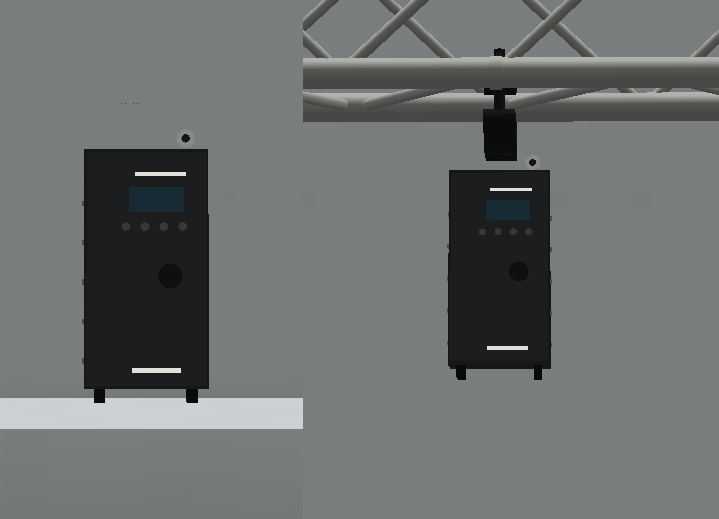
A PATT 2017 must be connected to a PATT Driver before it can receive its normal TRP-controlled output.
The Driver is responsible for:
- Theatrical Network
- DMX Universe
- DMX Address
- DMX Personality
- Target fixture selection
- Decoding DMX data
- Distributing the resulting output to linked fixtures
The Driver itself does not emit a fixture beam.
Linking to a PATT Driver
PATT 2017 fixtures are selected from the dedicated PATT Driver interface.
The Driver scans for compatible PATT fixtures within:
10 blocks
using a spherical distance check.
One Driver can control up to:
16 PATT fixtures
at the same time.
Same-Model Requirement
All fixtures linked to the same PATT Driver must belong to the same PATT model family.
For example:
PATT Driver
├── PATT 2017
├── PATT 2017
├── PATT 2017
└── PATT 2017
✅ Valid
But:
PATT Driver
├── PATT 2017
├── pixelPATT
└── HolyPATT
❌ Not valid
A single Driver selection cannot mix:
- PATT 2017
- pixelPATT
- HolyPATT
Driver Ownership
A PATT 2017 that is already linked to another PATT Driver cannot simultaneously be selected by a second Driver.
The PATT Driver interface indicates when a nearby fixture is already controlled elsewhere.
This prevents multiple Drivers from competing for the same PATT fixture.
Link Persistence
Driver links are persistent.
When a linked fixture or Driver becomes temporarily unloaded, TRP can restore the connection once the relevant blocks are available again, provided that:
- The original Driver still exists.
- The fixture remains within the valid range.
- The target remains compatible.
Unlinked Behaviour
A PATT 2017 without a valid PATT Driver connection does not produce its normal Driver-controlled output.
Interacting with an unlinked PATT fixture can display information indicating that it requires configuration through a PATT Driver.
Fixture Configuration
PATT 2017 is different from most normal TRP fixtures because its primary DMX/network configuration is managed through the PATT Driver.
The Driver configuration includes:
- Theatrical Network
- DMX Universe
- DMX Address
- Personality
- Linked target fixtures
The PATT fixture itself acts as the physical lighting output for those Driver settings.
PATT Driver Interface
The Driver interface displays nearby PATT fixtures and information including:
- Fixture model
- Block coordinates
- Distance
- Linked / unlinked state
- Whether another Driver already controls the fixture
- Whether the fixture model is compatible with the current target group
From this interface, the player can select or deselect PATT 2017 fixtures and save the resulting configuration.
Manual Aiming
PATT 2017 is a static fixture rather than a motorised moving head.
It supports manual Pan / Tilt aiming so the physical luminaire can be directed toward the required area.
This manual orientation is separate from DMX control.
The PATT Driver controls the lighting output, while the physical fixture orientation determines where the fixture is aimed.
Free Placement
PATT 2017 supports TRP’s Free Fixture Placement system.
When placing the fixture on an ordinary horizontal surface, its position can follow the exact cursor location rather than being forced to the centre of the Minecraft block.
The system provides a live preview using the actual fixture model before placement.
A valid location is shown using a green/teal indication, while an obstructed location appears red.
The complete resulting pose is stored persistently and synchronised between clients and the server.
The 0.15.X implementation also includes corrected initial front-facing orientation specifically for the PATT-family models.
Focus Tool
PATT 2017 is not compatible with the Focus Tool.
Its aiming is handled through its own manual physical Pan / Tilt adjustment instead of TRP’s multi-fixture Focus Tool workflow.
RoboSpot
PATT 2017 is not compatible with RoboSpot.
It cannot be selected as a RoboSpot camera or operated as a remote followspot fixture.
FollowMe
PATT 2017 is not compatible with FollowMe.
It cannot be selected as an automatic tracking target by the FollowMe Tracker.
Custom Gobos
PATT 2017 does not contain a serviceable gobo system.
It therefore does not support:
- Gobo Service Screwdriver
- Factory gobo replacement
- Custom engraved gobos
Flight Cases
PATT 2017 has no dedicated functional TRP Flight Case in the current implementation.
This refers specifically to TRP’s interactive Flight Case system.
Survival-Friendly Carrying
PATT 2017 is not included in TRP’s Survival-Friendly physical fixture-carrying system.
It does not use the carried-fixture entity workflow available to supported fixtures.
Rigging & Mounting
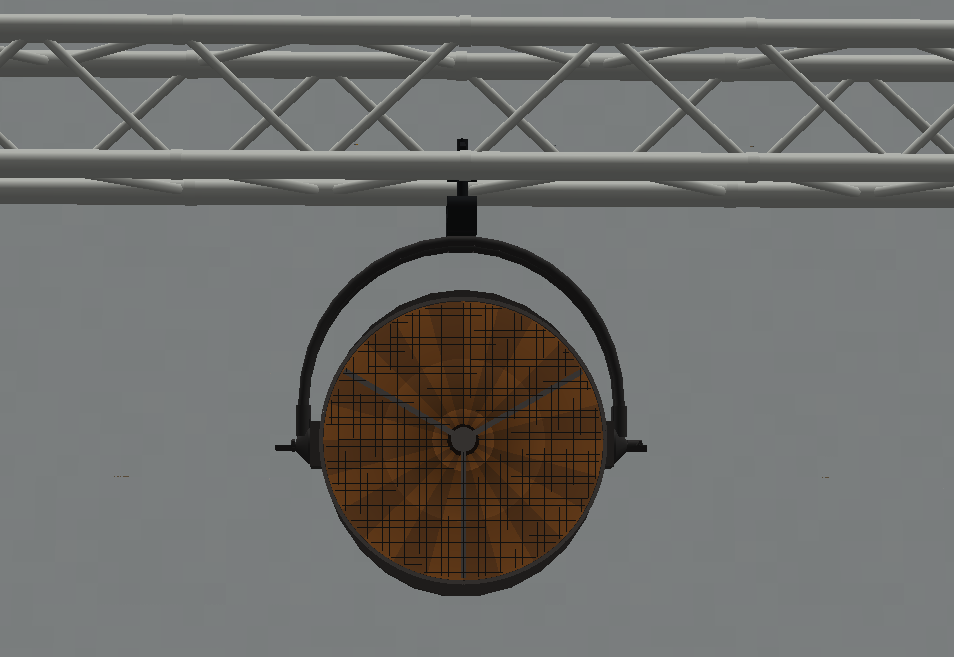
PATT 2017 supports TRP’s compatible hanging and rigging infrastructure.
It can be used with:
- F34 truss
- Compatible Theatrical truss / rigging supports
- Recognised compatible support systems
- Free placement on ordinary supported surfaces
It can also use the Truss Mount Tool.
Truss Mount Tool
When PATT 2017 is mounted on a compatible horizontal F34 side rail, the Truss Mount Tool can adjust its physical mounting angle.
Available angles run from:
0° to 120°
in:
15° increments
The tool can also switch between:
- Rail A
- Rail B
when the selected support exposes both rails.
These adjustments affect the physical installation of the luminaire and are not DMX Pan / Tilt values