


Tetra2
The ROBE Tetra2 is a linear moving pixel and effect fixture implemented in Theatrical: Realistic Pack (TRP).
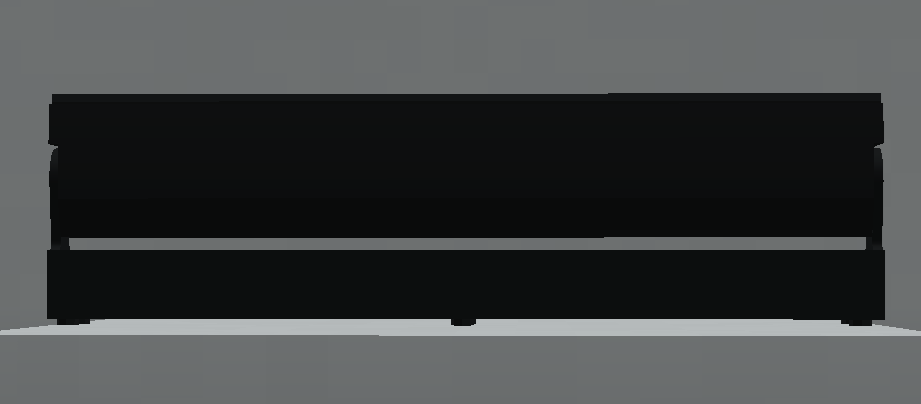

Its TRP implementation features 18 individually represented RGBW pixels together with 2 flower-effect sections, allowing it to operate as a wash, pattern fixture or high-density pixel effect depending on the selected DMX personality.
Official Resources
ROBE Product Page
https://www.robeuk.com/tetra2
Official GDTF Profile
ROBE provides manufacturer-maintained GDTF fixture profiles through GDTF Share.
Search for:
Tetra2
Manufacturer:
Robe Lighting s.r.o.
Whenever possible, use the fixture profile published directly by ROBE rather than a community-created version.
GDTF Share:
https://gdtf-share.com/
Overview
| Manufacturer | ROBE |
| Fixture | Tetra2 |
| GDTF / Search Name | Tetra2 |
| Type | Moving Pixel / Effect |
| RGBW Pixels | 18 |
| Flower Sections | 2 |
| TRP Status | Implemented |
| DMX Footprints | 6 / 34 / 56 / 97 / 115 / 110 / 128 channels |
| Focus Tool | ✅ Supported |
| Custom Gobos | ❌ Not Supported |
| RoboSpot | ❌ Not Supported |
| FollowMe | ❌ Not Supported |
| Dedicated Flight Cases | ❌ Not Available |
| Documentation Verified | TRP 0.13.7 |
Tetra2 is focused on wash, pattern, pixel and flower-effect operation rather than conventional gobo projection.
DMX Modes
The Tetra2 currently includes the following TRP personalities:
| Mode | Channels |
|---|---|
| Theatrical | 6 |
| Mode 1: Wash | 34 |
| Mode 2: Pattern | 56 |
| Mode 3: Pixel RGB | 97 |
| Mode 4: Pixel RGBW | 115 |
| Mode 5: Pattern Full RGB | 110 |
| Mode 6: Pattern Full RGBW | 128 |
Mode 1: Wash is the default personality in the reviewed implementation.
The selected personality determines both the available controls and the fixture’s total DMX footprint.
Mode 1: Wash
A 34-channel personality intended for conventional wash-style operation.
Mode 2: Pattern
A 56-channel personality focused on the fixture’s pattern and effect systems.
Mode 3: Pixel RGB
A 97-channel personality providing individual RGB control over the represented pixels.
Mode 4: Pixel RGBW
A 115-channel personality providing individual RGBW control over the fixture’s represented pixels.
Mode 5: Pattern Full RGB
Combines detailed pattern functionality with individual RGB pixel control.
This personality uses 110 DMX channels.
Mode 6: Pattern Full RGBW
The most detailed Tetra2 personality currently implemented in TRP.
It combines the fixture’s pattern systems with individual RGBW pixel control and occupies:
128 DMX channels
For example, a Tetra2 using Mode 6 at Address 1 occupies:
Channels 1–128
Exact DMX channel-value ranges are not included unless separately validated against the complete personality implementation.
Implemented Functions
The Tetra2 implementation includes:
- Pan and Tilt
- Smooth movement
- Dimmer
- Shutter / Strobe
- RGBW colour control
- Wash operation
- Pattern control
- Individual pixel control
- RGB pixel personalities
- RGBW pixel personalities
- Full pattern / pixel combinations
- Flower-effect functionality
- Fixture-specific effect functions
The exact controls available depend on the selected DMX personality.
Pixel Control
Tetra2 contains 18 individually represented RGBW pixels.
Its advanced personalities provide different levels of individual source control depending on the amount of detail required.
Pixel RGB
Individual pixels can be controlled using RGB values.
This provides detailed per-pixel colour while using a smaller footprint than the full RGBW personality.
Pixel RGBW
The RGBW personality provides individual four-component colour control for the represented pixels.
Pattern Full RGB
Combines pattern functionality with individual RGB pixel control.
Pattern Full RGBW
Combines the fixture’s pattern systems with the most detailed RGBW pixel control currently implemented.
At 128 channels, this is one of the largest fixture personalities in the current TRP library.
Pattern System
Tetra2 includes dedicated pattern personalities for controlling multi-source effects without requiring all behaviour to be programmed manually at the individual-pixel level.
Pattern-oriented personalities include:
- Mode 2: Pattern
- Mode 5: Pattern Full RGB
- Mode 6: Pattern Full RGBW
The larger Full personalities combine pattern operation with detailed individual pixel control.
Flower Effects
The Tetra2 implementation contains 2 individually represented flower-effect sections.
These operate alongside the fixture’s 18 RGBW pixels as part of its broader effect system.
Depending on the selected personality, the flower sections can participate in wash, pattern and more complex multi-element effects.
Fixture Configuration
Interact with the Tetra2 using an empty hand to open its physical fixture display.
The common TRP fixture interface allows configuration of:
- Theatrical Network
- DMX Universe
- DMX Start Address
- Fixture Mode
- Lamp Mode
- Display Brightness
- Display Enabled / Disabled
- Pan Invert
- Tilt Invert
- Pan / Tilt Reset
- All Reset
Available Lamp Modes are:
- Standard
- Quiet
- Power
The physical display can also represent operational states such as:
RESET
PLEASE WAIT
NO DMX
When the fixture belongs to a Theatrical Network, configuration access respects that network’s membership and permissions.
Custom Gobos
The Tetra2 does not support TRP’s Custom Gobo Service system.
It does not use a serviceable conventional gobo wheel.
Its advanced functionality is instead based around:
- RGBW pixels
- Patterns
- Flower effects
- Multi-element colour and effect control
Focus Tool
The Tetra2 is compatible with the Focus Tool.
This allows one or multiple Tetra2 fixtures to be selected and aimed together using TRP’s multi-fixture focusing workflow.
Point Mode
All selected fixtures are aimed towards one selected position in the Minecraft world.
Two-Point Span Mode
Two world positions define a target span.
TRP spatially sorts the selected fixtures and distributes their aim points between those positions.
The Focus Tool also provides:
- Auto Focus
- Auto Zoom
- Output Assist
- Manual Focus
- Manual Zoom
- Manual Intensity
The tool can store up to 32 compatible fixture targets at once.
RoboSpot & FollowMe
The Tetra2 is not currently compatible with:
- RoboSpot
- FollowMe
These systems are only enabled for explicitly supported fixture models.
The fixture can still be aimed using normal DMX Pan/Tilt control or through the Focus Tool.
Flight Cases
There is currently no dedicated Tetra2 flight case implemented in TRP.
Only fixture models with explicitly implemented matching cases can use TRP’s dedicated flight-case storage system.
Rigging & Mounting
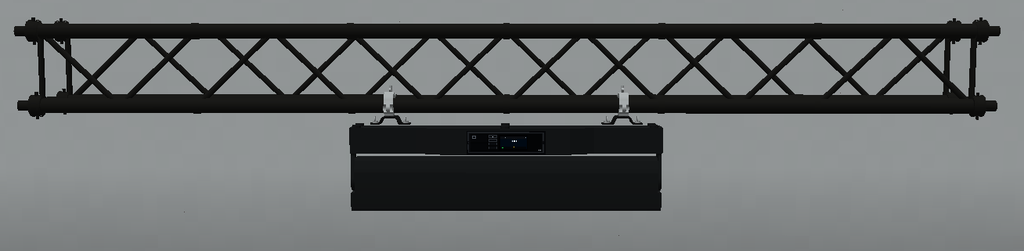
The Tetra2 can be mounted on compatible TRP and recognised rigging structures.
Supported systems include:
- TRP F34 truss
- Theatrical truss
- Theatrical rigging pipes
- Recognised Theatrical Extra Lights structures
- Recognised SEF quad-truss variants
TRP’s F34 system supports appropriate:
- Top mounting
- Bottom mounting
- Side / rail mounting
- Compatible fixture orientations
The Tetra2 also supports the Truss Mount Tool.
On compatible horizontal F34 side mounts, the physical fixture angle can be adjusted from:
0° → 120°
in:
15° increments
This changes the physical rigging orientation and is independent from DMX Pan and Tilt.
Known Limitations
- Custom Gobo Service is not supported.
- RoboSpot is not supported.
- FollowMe is not supported.
- No dedicated Tetra2 flight case is currently available.
- The Pixel and Full personalities require large DMX footprints.
- Mode 6 occupies 128 consecutive DMX channels.
- Exact DMX channel-value ranges are not included unless separately validated against the complete personality implementation.
- Large numbers of Tetra2 fixtures using detailed pixel and pattern control simultaneously may increase system and rendering load.