


T11 Profile
The ROBE T11 Profile is a static theatrical profile fixture implemented in Theatrical: Realistic Pack (TRP).
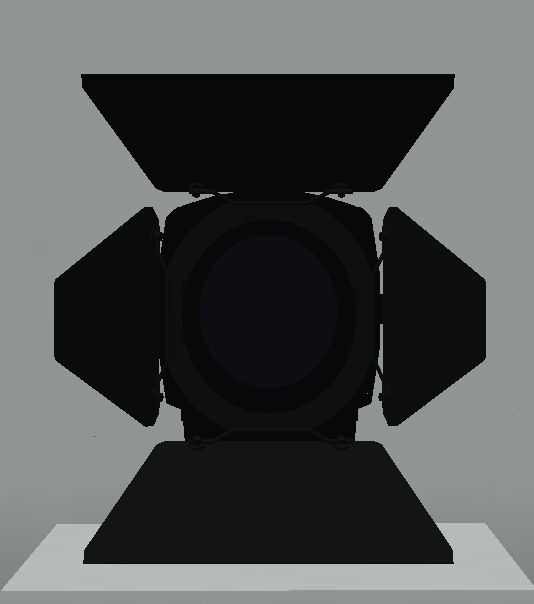

Unlike TRP’s moving-head fixtures, the T11 is manually aimed and includes dedicated support for the Manual Adjustment Tool, an attachable T11 Barndoor and the T11 Singular Clamp.
Its DMX personalities range from simple one-channel dimmer control to more advanced RGB, CMY and RGBAL personalities with optional gobo and iris functionality.
Official Resources
ROBE Product Page
https://www.robeuk.com/t11-profile
Official GDTF Profile
ROBE provides GDTF files for its fixtures through the official Robe Lighting s.r.o. manufacturer library on GDTF Share.
Search for:
T11 Profile
Whenever possible, use the manufacturer-published ROBE profile instead of a community-created version.
The official ROBE product page also provides access to GDTF resources for the T11 Profile.
Overview
| Manufacturer | ROBE |
| Fixture | T11 Profile |
| GDTF / Search Name | T11 Profile |
| Type | Static Profile |
| TRP Status | Implemented |
| DMX Footprints | 4 / 18 / 9 / 22 / 5 / 1 / 24 / 13 / 28 channels |
| Focus Tool | ✅ Supported |
| Custom Gobos | ❌ Not Supported |
| RoboSpot | ❌ Not Supported |
| FollowMe | ❌ Not Supported |
| Dedicated Flight Cases | ❌ Not Available |
| Manual Adjustment Tool | ✅ Supported |
| T11 Barndoor | ✅ Supported |
| T11 Singular Clamp | ✅ Supported |
| Documentation Verified | TRP 0.13.7 |
The T11 is unique within the current fixture library because it combines DMX control with dedicated manual physical adjustment systems.
DMX Modes
The T11 Profile currently includes the following TRP personalities:
| Mode | Channels |
|---|---|
| Theatrical RGB | 4 |
| Mode 1: 16-bit CMY / RGB | 18 |
| Mode 2: 8-bit CMY / RGB | 9 |
| Mode 3: 16-bit RGBAL | 22 |
| Mode 4: White Light + Dimmer | 5 |
| Mode 5: Dimmer | 1 |
| Mode 6: 16-bit CMY / RGB + Gobos / Iris | 24 |
| Mode 7: 8-bit RGB + Gobos / Iris | 13 |
| Mode 8: 16-bit RGBAL + Gobos / Iris | 28 |
The T11 offers one of the widest ranges of simplified and advanced personalities in TRP.
This allows the same fixture to be used with anything from a basic single-channel dimmer patch to detailed colour and optical control.
Implemented Functions
Depending on the selected personality and installed accessories, the T11 implementation includes:
- Dimmer
- RGB colour control
- CMY colour control
- RGBAL colour control
- White-light operation
- Zoom
- Focus
- Internal gobo-related DMX control
- Iris-related DMX control
- Manual Pan / Tilt adjustment
- Barndoor blade adjustment
- Barndoor / aperture rotation
- Focus Tool compatibility
- Physical accessory support
Because the T11 is a static profile, its physical aiming workflow differs significantly from TRP’s moving-head fixtures.
Fixture Configuration
Interact with the T11 Profile using an empty hand to open its fixture configuration interface.
The common TRP fixture configuration includes:
- Theatrical Network
- DMX Universe
- DMX Start Address
- Fixture Mode
- Lamp Mode
- Display Brightness
- Display Enabled / Disabled
- Pan Invert
- Tilt Invert
- Pan / Tilt Reset
- All Reset
The physical display can also represent operational states such as:
RESET
PLEASE WAIT
NO DMX
Configuration access respects Theatrical Network membership when the fixture belongs to a network.
Manual Adjustment Tool
The Manual Adjustment Tool provides a dedicated configuration interface for the T11 Profile.
In the reviewed implementation, the T11 Profile is the dedicated target of this tool.
It allows manual control of:
- Fixture aiming / Pan
- Fixture aiming / Tilt
- Zoom
- Focus
- Four Barndoor blade values
- Barndoor / aperture rotation
This allows the physical T11 to be positioned and focused without treating it like a motorised moving head.
T11 Barndoor

TRP includes a dedicated T11 Barndoor accessory.
Use the Barndoor item on a T11 Profile to attach it to the fixture.
Once installed, its blades can be adjusted using the supported T11 interactions and the Manual Adjustment Tool.
Direct Adjustment
An empty-hand interaction on the front of the fixture adjusts the currently addressed blade in:
15 percentage-point increments
Sneaking reverses the adjustment direction.
The supported removal interaction detaches the Barndoor and returns the accessory item to the player.
T11 Singular Clamp
The T11 Singular Clamp is included as a dedicated physical accessory for the T11 Profile.
It provides an additional fixture-specific mounting accessory alongside TRP’s normal rigging and mounting systems.
Gobos & Iris
Some T11 DMX personalities expose Gobo / Iris channels.
These are available in:
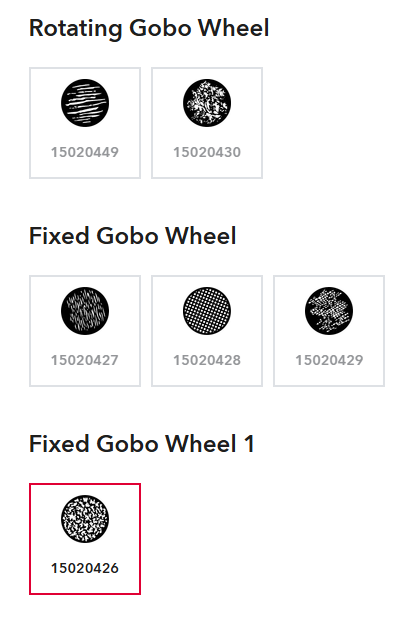
- Mode 6: 16-bit CMY / RGB + Gobos / Iris
- Mode 7: 8-bit RGB + Gobos / Iris
- Mode 8: 16-bit RGBAL + Gobos / Iris
However, the T11 does not implement TRP’s Custom Gobo Service system.
This distinction is important:
Having gobo channels does not mean the fixture supports the Gobo Service Screwdriver or player-created engraved Custom Gobos.
The T11 does not expose a serviceable custom-gobo wheel in the reviewed TRP implementation.
Focus Tool
The T11 Profile is compatible with the Focus Tool, despite being a static fixture.
This allows T11 fixtures to participate in TRP’s multi-fixture focusing workflows.
Point Mode
Selected T11 fixtures can be aimed towards a single selected world position.
Two-Point Span Mode
Multiple selected fixtures can be distributed and aimed between two selected world points.
The Focus Tool can store up to 32 compatible fixture targets.
The Manual Adjustment Tool remains useful when individual physical adjustment of a specific T11 is required.
RoboSpot & FollowMe
The T11 Profile is not compatible with:
- RoboSpot
- FollowMe
These systems are designed for explicitly supported motorised fixtures.
The T11 instead uses its manual adjustment and Focus Tool workflows for aiming.
Flight Cases
There is currently no dedicated T11 Profile flight case implemented in TRP.
Only explicitly supported fixture families can use the dedicated TRP flight-case storage system.
Rigging & Mounting
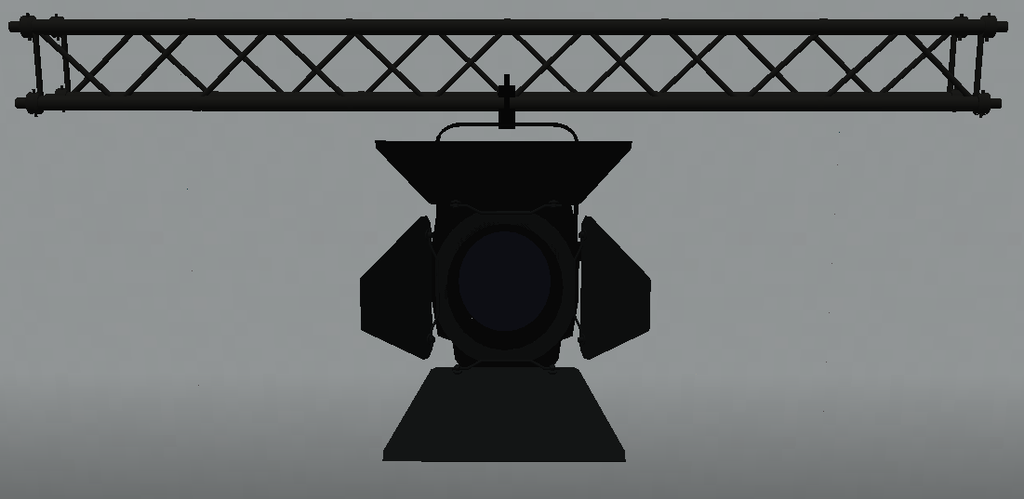
The T11 Profile supports TRP’s common fixture mounting systems.
Compatible structures include:
- TRP F34 truss
- Theatrical truss
- Theatrical rigging pipes
- Recognised Theatrical Extra Lights structures
- Recognised SEF quad-truss variants
The T11 can also use its dedicated T11 Singular Clamp accessory.
Like the other TRP fixtures, the T11 recognises the Truss Mount Tool for compatible physical mounting arrangements.
Known Limitations
- The T11 is a static fixture and does not provide motorised Pan / Tilt operation like a moving head.
- Custom Gobo Service is not supported.
- Gobo channels in Modes 6, 7 and 8 must not be confused with Custom Gobo Service compatibility.
- RoboSpot is not supported.
- FollowMe is not supported.
- No dedicated T11 flight case is currently available.
- Barndoor controls require the T11 Barndoor to be installed where applicable.
- Exact DMX channel-value ranges are not included here unless separately validated against the implementation.